


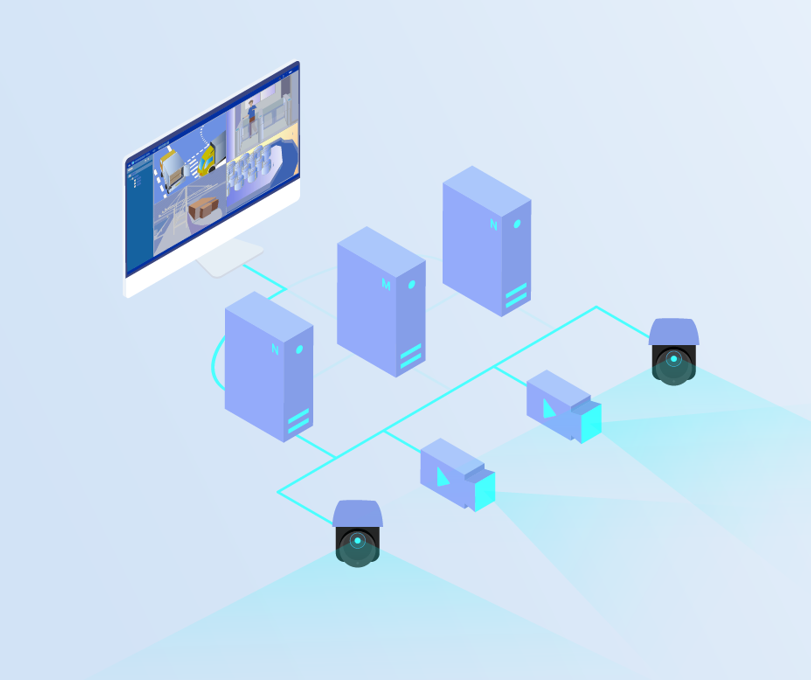
USC, based on a microservices architecture, can easily implement multi-node clusters. The following describes its usage:
When the number of monitoring device channels exceeds 5000, the performance of a single server will be limited. Horizontal node addition can be used to increase worker nodes. The default installation is a single node, and its working mode is USC_SERVER_MAIN. There is only one USC_SERVER_MAIN type worker node in the entire cluster. USC_SERVER_SUB is in worker node mode. Multiple worker nodes are possible in the system. USC_SERVER_MAIN and USC_SERVER_SECONDARY1/USC_SERVER_SECONDARY2 have worker node functionality by default. The worker nodes connect to the database of the USC_SERVER_MAIN node.
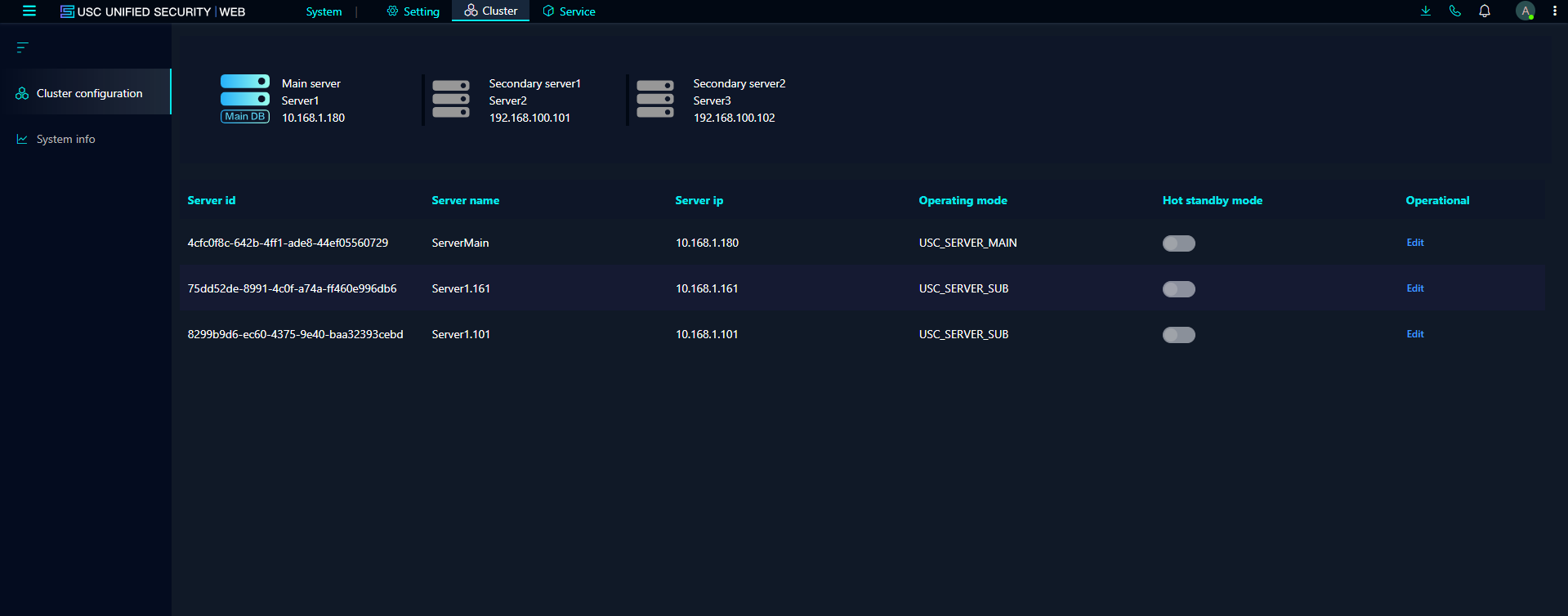
The following configuration represents a system with one USC_SERVER_MAIN node and two USC_SERVER_SUB nodes:
ServerMain USC_SERVER_MAIN 10.168.1.108
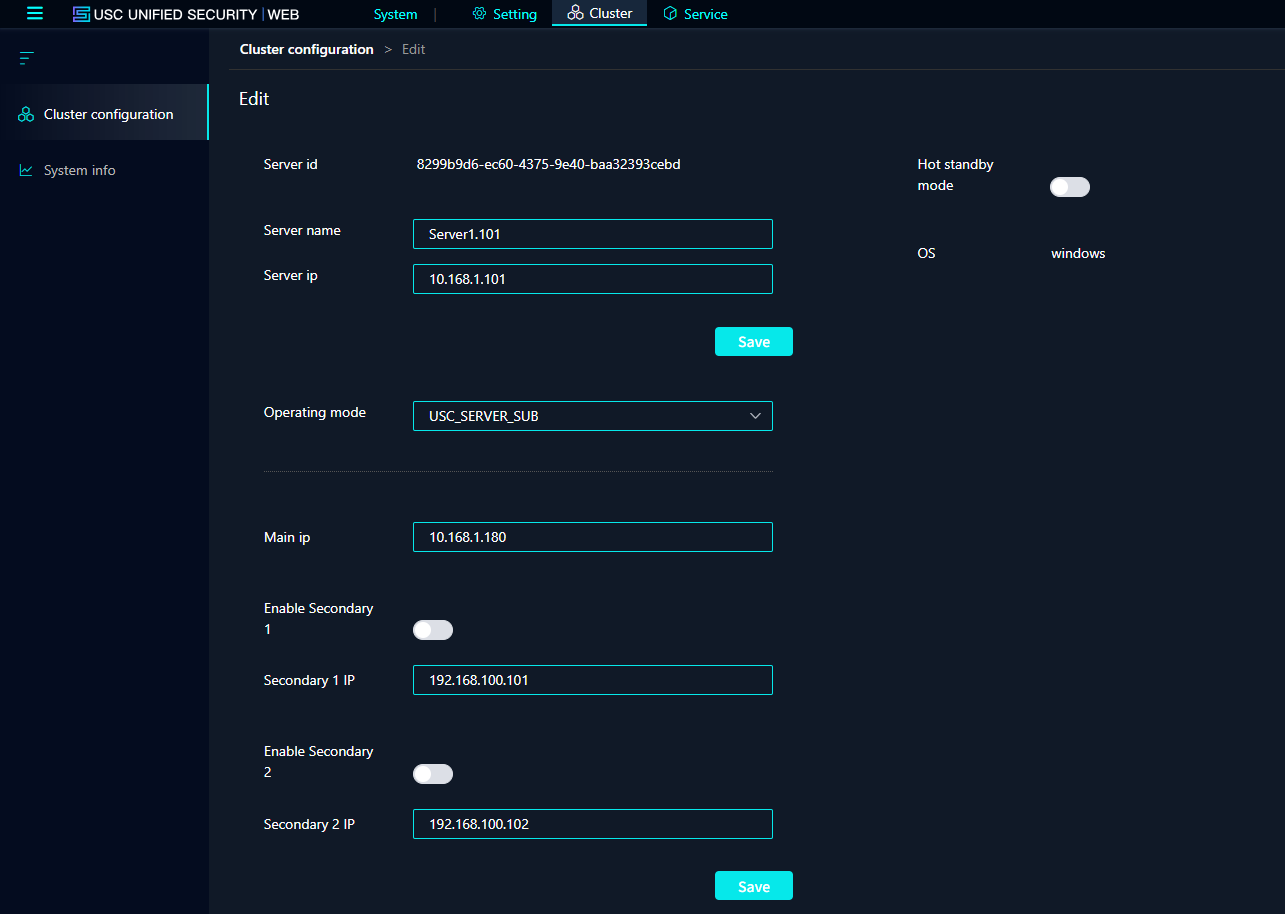
Server1.101 USC_SERVER_SUB 10.168.1.101
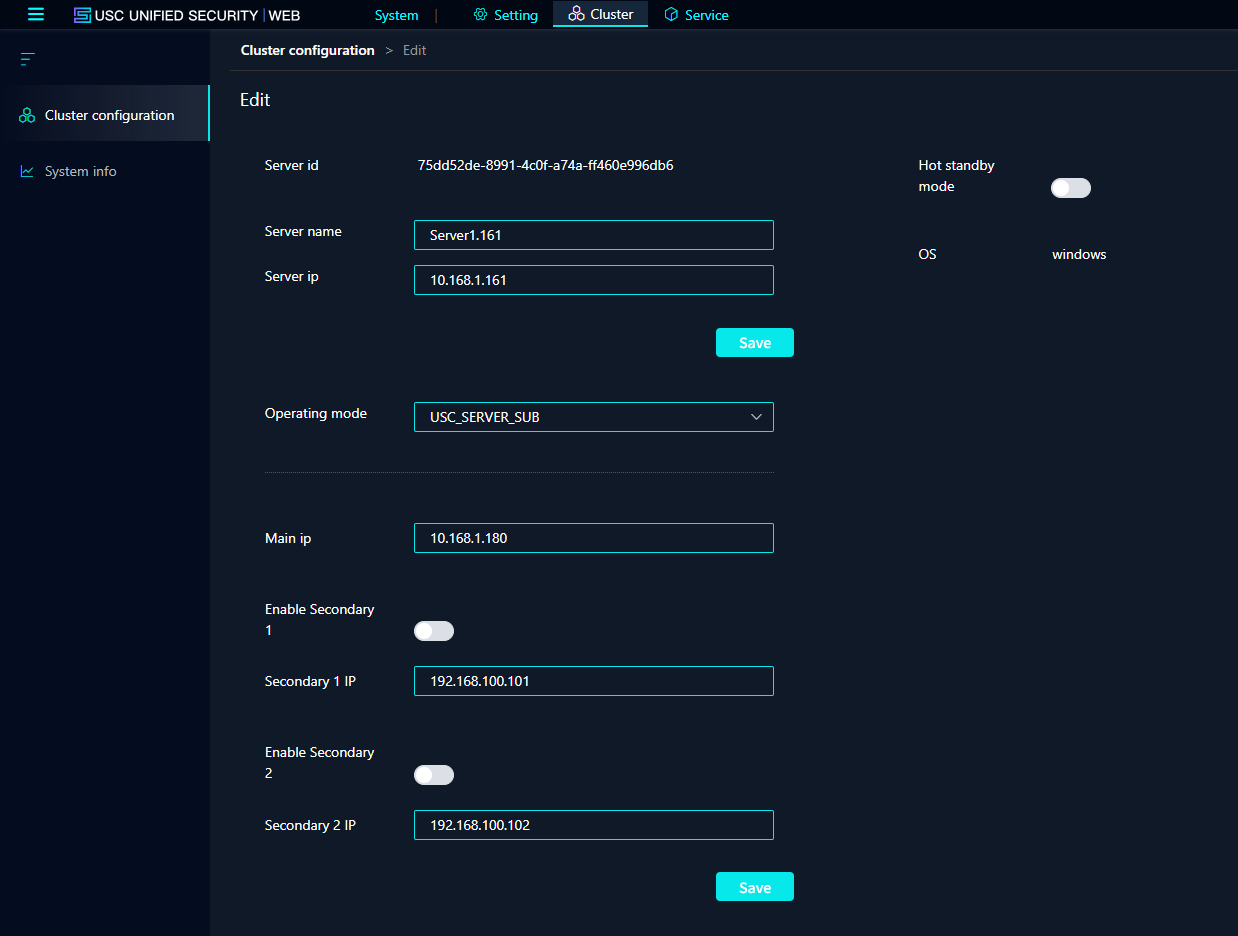
Server1.161 USC_SERVER_SUB 10.168.1.161
Edit this in System -> Cluster -> Cluster Configuration
1. First, configure ServerMain, then restart the service. Only configure the numbered parts 1, 2, 3, and 4.
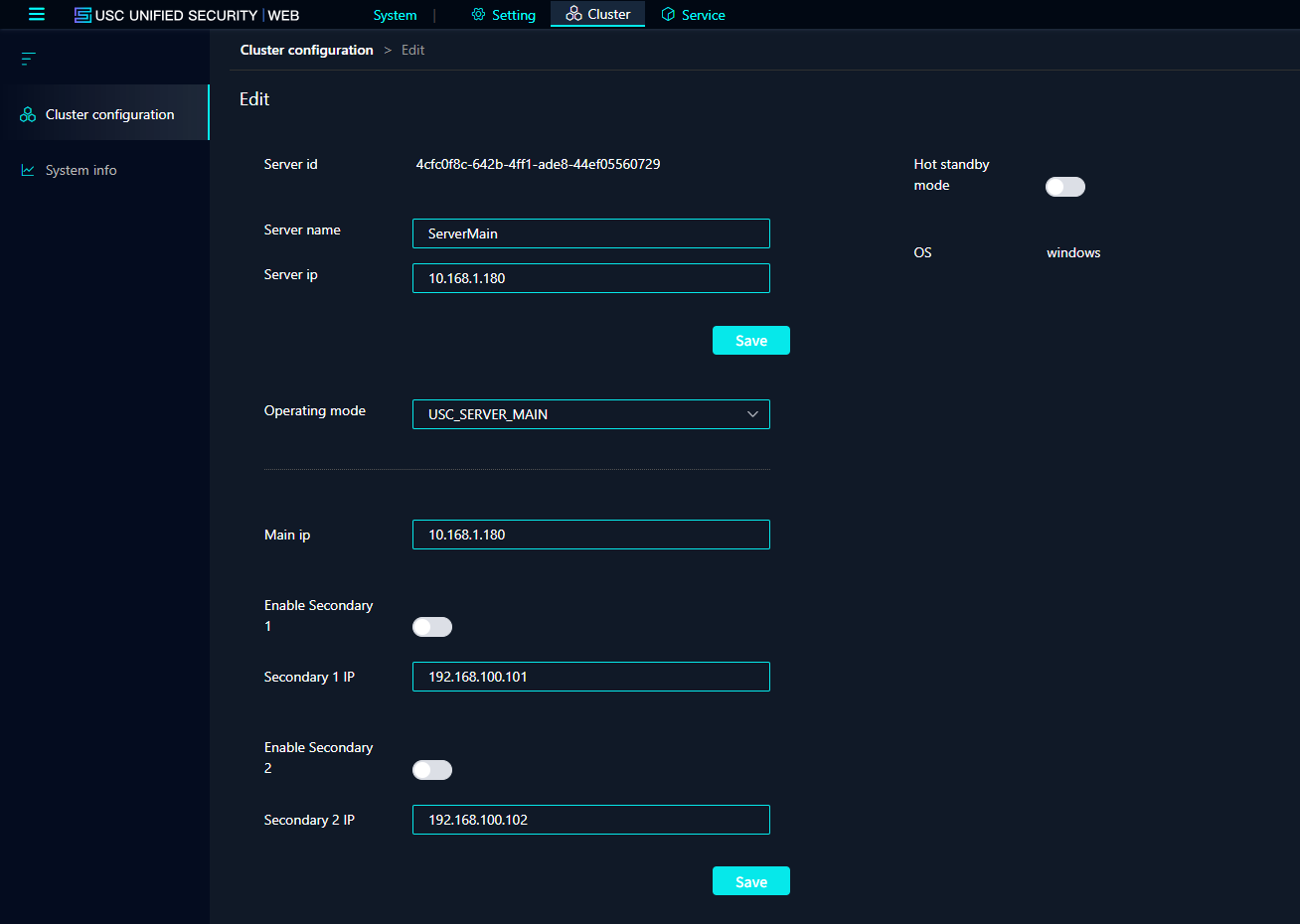
2. Then configure the Server1.101 node, and restart the service after configuration. Only the numbered parts (1, 2, 3, 4) need to be configured. See below for reference.
3. Then configure the Server1.161 node, and restart the service after configuration. Only configure the numbered parts 1, 2, 3, and 4. See below for reference.
After configuration, you can log in from any node to view the overall system status. You can see a list of all nodes under System -> Cluster -> Cluster Configuration.